
About TMEditX Editor for MSIX
The TMEditX Editor is the premium tooling for MSIX packaging.
Intended for situations where you are re-packaging traditional installers into MSIX, it also has some use for software developers wanting to release in MSIX form.
TMEditX usually starts with an existing package. such as a recapture by the Microsoft MSIX Packaging Tool, or other repackaging tools that produce MSIX packages but need help in getting you a working package. But it can also be useful for situations where a developer has created the package and you want to tweak it.
TMEditX replaces the need for our earlier PsfTooling, which would be used while repackaging in the MSIX Packaging Tool and was severly limited by that tool. By using TMEditX, you can create much better, "high-fidelity" packages, saving you significant time and effort.
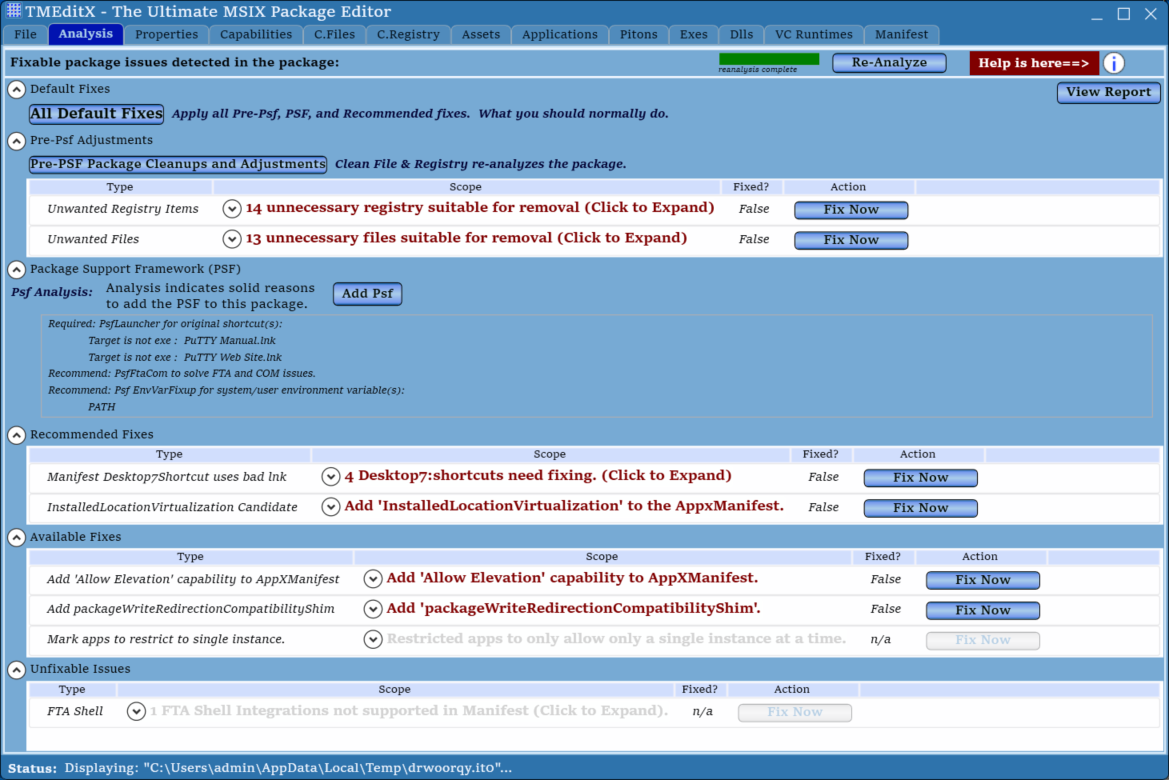
The tool starts by analyzing your package. This involves looking at all of the artifacts of the original installation captured in the input package. It also involves looking into the MSIX metadata on how the package is set up for MSIX. And this phase then outputs a report of what it found and recommendations. This is seen on the Analysis tab shown on the right.
After analyzing, you'll typically apply the recommended fixups using the "All Default Fixes" button at the top, but you may also apply granular controls through the individual buttons. After applying the recommended fixups, you'll have full editing capabilities of TMEditX, including some special case fixups we make available.
The tool also provides a report of the package and what actions were taken for your documentation.
The tool contains a copy of the latest version of our Package Support Framework (PSF), which will be added to the package and configured when needed. Many of the other fixups a utilizing extensions that Microsoft has added to the AppXManifest file but does not support in their own packaging tool.
The tool supports customization policies that you can set to match how you want your packages to be built. Maybe you like shortcuts on the user's desktop but maybe you don't. Maybe your security team doesn't like Installed Location Virtualization and you want us to use the full MfrFixup instead. You can configure your code signing certificate, produce AppLocker or Windows Defender Application Control policy files for your security team, package branding, and much more.
The editor includes full access to the package properties, capability settings, registry and files. You can also view the details of the applications, File Type Associations, Shell Verb Commands and Shell Extensions. And can manually edit the AppXManifest or the PSF config.json files.
TMEditX Editor also has a complete command line interface, allowing you to fully automate your repackaging efforts to MSIX.
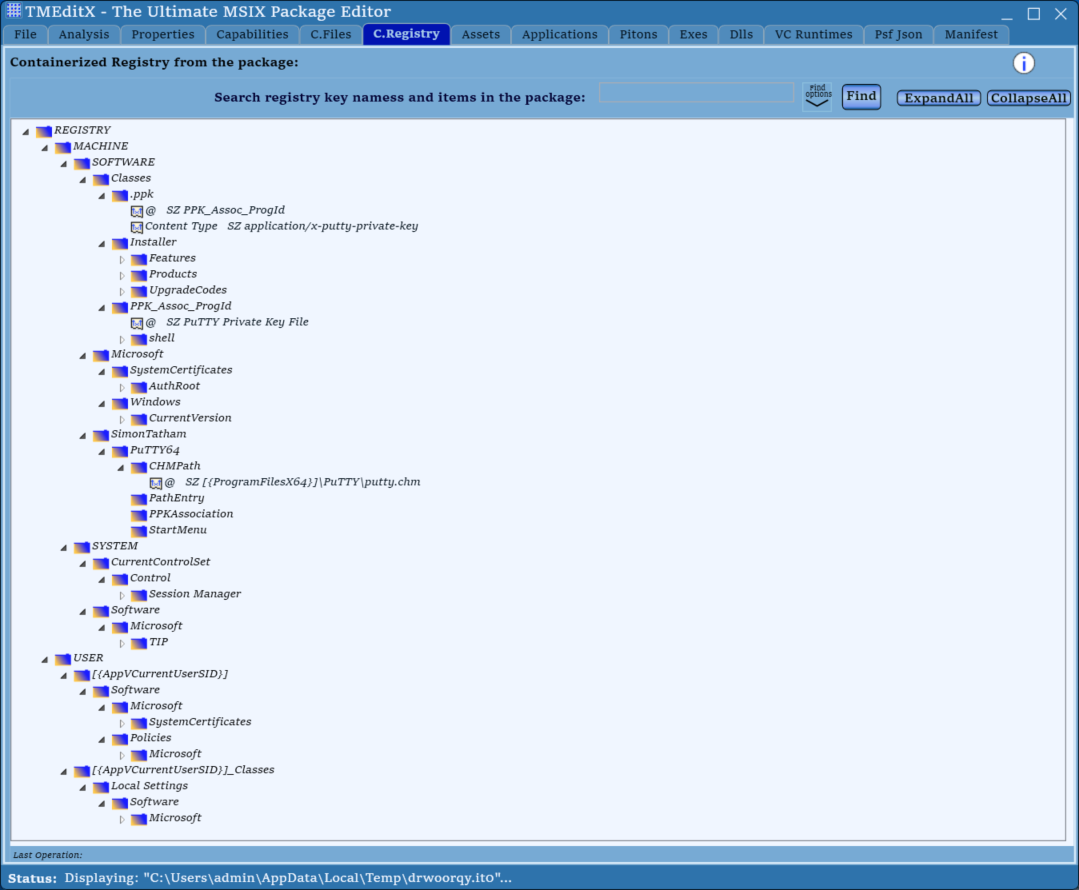
TMEditX is a full-fledged MSIX package editor tool that provides the most complete editing capabilities so far. But, it is much more than just an editor, it is how you unlock the full fidelity of the native installer while reaping the benefits of running inside an MSIX container.
TMEditX supports saving your package in MSIX format, but also can convert them for AppAttach as VHD, VHDX, or CIMfs formats. This also replaces the need for other 3rd party tools to create AppAttach packages for use with services like Azure Virtual Desktops.
Unlike a lot of our software, TMEditX is not free. The software is licensed on a per-user (i.e. packager) basis and comes with a year of maintenance and support. TMEditX has a fully-functional free trial mode, so you can completely ensure that you'll be satisfied with the tool before you buy.
TMEditX is offered as an independent product or bundled with TMEdit for App-V. Current TMEdit customers also have an option to upgrade to the bundle.
A short video 7-minute of the product is HERE
Be sure to also check out TMEditX Tools, our free companion apps useful when smoke-testing your completed packages.