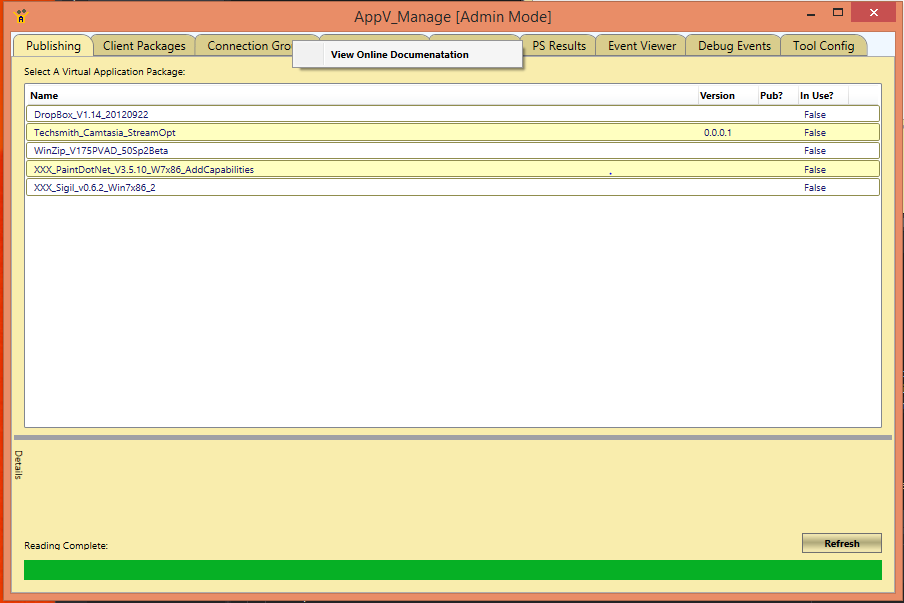
AppV_Manage Introduction
AppV_Manage is the tool of choice for people packaging in App-V 5 for performing the initial tests on recently sequenced packages. It is used on an App-V client test machine, and requires no back-end servers (although a file share where the packages are stored is typically used). You sequence, copy the package up to the share, and bounce over to the client to test.
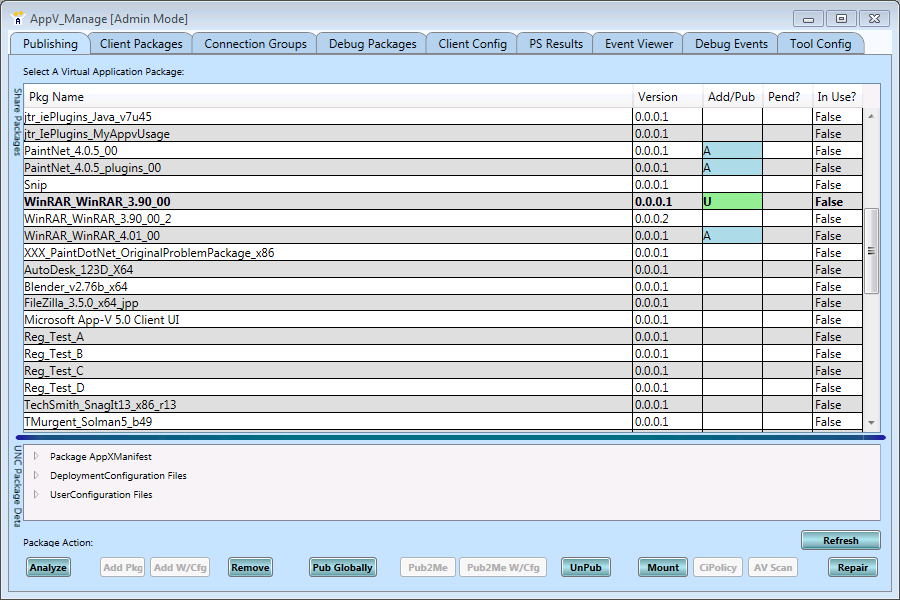
Here is a look at the tool.
Resizing the interface
The tool window is re-sizable overall by dragging an outer edge or corner.
On may of the displays, such as the one above, you may see a horizontal or vertical bar that separates two panels. You may drag the bar to change the size of those panels when desired.
Items with a table display (such as the top panel above) can be further manipulated by dragging the separator in between column headings.
A few places, such as the lower detail panel in the image above, support copying of text (such as the GUIDs) to the clipboard for pasting into other tools.
Accessing Online Documentation
This online documentation is accessible from within the tool! Right click in the area near the Tabs, and a menu will appear with a selection to access this documentation. There is also a button on the Configuration Tab (next to the display of tool version information)
The documentation will appear in your favorite web browser. The initial documentation page shown (this page) will have the latest version of the tool available listed at the top of the page.